
1. The Story
Press "Next" to go through it step by step. In each step, a character appears and explains what they are doing.
Act 1: How Do Three Computers Connect?
Step 1 of 10
Three computers, not connected yet
The desktop computer, the TV and I are all in the same house, and we want to share photos. But there isn't a single cable between us. How do we connect?
Animation text version (all steps)
- Act 1: How Do Three Computers Connect?
- Three computers, not connected yet · Mac: The desktop computer, the TV and I are all in the same house, and we want to share photos. But there isn't a single cable between us. How do we connect?
- A cable between every pair? · Mac: The most direct way is to run a network cable between every pair of computers. Three computers need three cables, which seems OK... but with more computers it gets messy.
- 3 computers: 3 cables
- 10 computers: 45 cables
- 100 computers: 4,950 cables!
- And every computer needs lots of network sockets
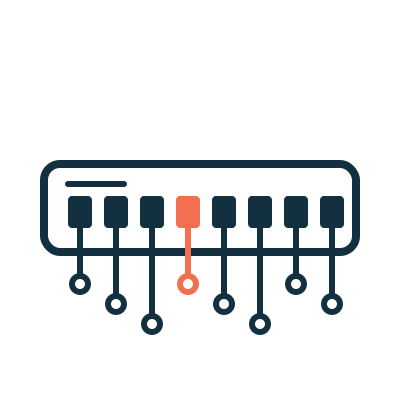
- Octo to the rescue · Octo: No need for all that! Put me in the middle, and each computer only needs one cable plugged into me. I'm a Switch: I deliver data to the right computer inside a LAN (Local Area Network).
- Each computer: just 1 cable
- One more computer: just 1 more cable
- The cable sockets on Octo are called Ports: P1, P2, P3
- Act 2: How Does Octo Deliver?
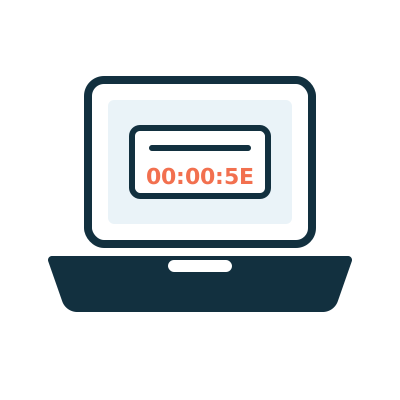
- Pip puts on a Frame · Pip: Mac wants to send a photo to the desktop computer. Before I set off, I put on a backpack with the recipient's and sender's MAC Addresses (hardware addresses) written on it. Inside a LAN, this wrapping is called a Frame. Backpack on, let's go!
- Recipient:
00:00:5E:00:53:04(desktop computer) - Sender:
00:00:5E:00:53:01(Mac)
- Recipient:
- First time: Octo doesn't know the recipient · Octo: First I note down: the sender, Mac, is on P1. But I don't know which Port the desktop computer is on yet, so I have to copy Pip and send him out of all the other Ports. This is called Flooding.
- Octo's notebook is called the MAC Address Table
- P1 →
…:01(Mac) ← just noted - When the TV gets it and sees it isn't addressed to itself, it throws it away
- The desktop replies, and Octo learns · Octo: When the desktop computer replies to Mac, I look at the sender again: so the desktop computer is on P2! This is called Learning. I already know the recipient, Mac, so I send it straight to P1.
- P1 →
…:01(Mac) - P2 →
…:04(desktop computer) ← just noted
- P1 →
- From now on: only the right Port · Octo: Got it! Delivering to the right port right now! My notebook is complete. When Mac sends another photo, I send it only to P2, and the TV no longer gets Frames that have nothing to do with it. This is called Forwarding.
- Octo's three actions:
- ① Learning: look at the sender and note which Port it is on
- ② Flooding: if the recipient is unknown, send to all other Ports
- ③ Forwarding: if the recipient is known, send to that one Port only
- A Broadcast for everyone · Pip: If the recipient says
FF:FF:FF:FF:FF:FF, it's a Broadcast. Octo will always copy me and send me out of every Port except the one I came in on. Remember this, it matters a lot later! - Layer 2 and Layer 3 · Octo: I only look at MAC Addresses, and I only deliver inside the same LAN, so I'm a Layer 2 device. To send data to other networks, you need a Router, which looks at IP Addresses (network addresses). A Router is a Layer 3 device.
- Layer 2: MAC Address, Frame, Switch (the star of this story)
- Layer 3: IP Address, Packet, Router
- "Layer 2/Layer 3" are industry names borrowed from the OSI Model; layers are covered in detail in Lesson 5
- Summary: Octo's job · Octo: Each of the three computers only needs one cable to me, and they can all send data to each other. As I deliver, I note down who is on which Port, so I get faster and faster. In the next story, we'll see how people used Hubs before I came along!
- Learning: look at the sender and note which Port it is on
- Flooding: if the recipient is unknown, send to all other Ports
- Forwarding: if the recipient is known, send to that one Port only
- The notebook is tidied up regularly (many Switches delete an entry after not seeing it for 300 seconds), so a device that moves won't be remembered wrongly
2. Where Is the Problem
Running a cable between every pair of computers is called a "full mesh". It works when there are only a few computers, but as the number grows, the number of cables becomes astonishing:
| Number of computers | Cables needed | Network sockets each computer needs |
|---|---|---|
| 3 | 3 | 2 |
| 10 | 45 | 9 |
| 100 | 4,950 | 99 |
The formula is n × (n − 1) ÷ 2. Every time you add a computer, you have to run one more cable to every computer already there. That simply is not practical.
3. How the Network Solves It
Put a Switch in the middle. A Switch is a device that delivers data to the right computer inside a LAN (Local Area Network). Each computer only needs one cable, plugged into the Switch.
A Switch is like a clever delivery worker. It reads the recipient's MAC Address on the Frame and delivers the Frame only to the correct Port (a cable socket on the Switch). While it delivers, it also notes down "who is on which Port", so it gets more accurate the more it delivers.
One more computer means just one more cable.
4. A Closer Look
Octo's Notebook: the MAC Address Table
A Switch uses a table to remember which Port each MAC Address is on. By the end of the story, Octo's notebook looks roughly like this:
| Port | MAC Address | Device |
|---|---|---|
| P1 | 00:00:5E:00:53:01 |
Mac |
| P2 | 00:00:5E:00:53:04 |
Desktop computer |
| P3 | 00:00:5E:00:53:02 |
TV |
The Switch learns this table by itself. Nobody has to type it in.
What Does a Switch Do Each Time It Receives a Frame?
- Learning: it looks at the sender's MAC Address and the Port the Frame came in on, and records them in the MAC Address Table.
- Then it looks at the recipient's MAC Address:
- The recipient is the Broadcast Address
FF:FF:FF:FF:FF:FF, or the recipient is not in the table → Flooding: copy the Frame and send it out of every Port except the one it came in on. - The recipient is in the table and on a different Port → Forwarding: send it out of that one Port only.
- The recipient is in the table, but on the same Port as the sender → Filtering: no need to send it anywhere, so drop it.
- The recipient is the Broadcast Address
Notice: when a Switch learns, it looks at the sender. When it delivers, it looks at the recipient.
The Notebook Gets Tidied Up Regularly
If a Switch has not seen a MAC Address for a while, it deletes it from the table. This period is called the Aging Time, and many Switches use 300 seconds by default. That way, even if a device moves to another Port or leaves the LAN, the table will not stay wrong for long.
A Switch Is a Layer 2 Device
A Switch only looks at MAC Addresses and only delivers Frames within the same LAN, so the industry calls it a Layer 2 device. To send data to other networks, you need a Router, which looks at IP Addresses (the network addresses of devices). A Router is a Layer 3 device.
The names "Layer 2" and "Layer 3" come from the numbering of the OSI Model. The idea of layers is explained in detail in Lesson 5 of the beginner course.
5. Try It Yourself
Task: Count the Switch Ports at Home
- Find the Router at home and count how many network sockets are on the back (they are usually labelled LAN 1, LAN 2, ...).
- Those LAN sockets are actually a small Switch built into the Router!
- Think about it: what could you do if you ran out of sockets? (Hint: you can connect another Switch.)
Mini game
What Would Octo Do?
Octo's notebook says: Mac is on P1, the desktop computer is on P2 and the TV is on P3. In each situation below, what will Octo do?
-
1The recipient is FF:FF:FF:FF:FF:FF
-
2The recipient is a new computer just plugged into P4, and it is not in the notebook yet
-
3Mac (P1) sends a Frame to the TV
-
4A Frame comes in on P1, and the recipient is also on P1
-
5The TV (P3) sends a Frame to the desktop computer
-
6The recipient's MAC Address was cleared from the table 300 seconds ago
All sorted correctly! Unknown recipient or Broadcast: Flooding. Known recipient: Forwarding. Recipient on the same Port as the sender: drop it.
6. Where the Analogy Breaks
- Octo does not really "copy" a Pip. A Switch first stores the Frame in memory for a moment, then sends a copy out of each Port. The whole process takes microseconds.
- Octo handles many Frames at once. The animation sends only one Pip at a time; a real Switch can send and receive data on all of its Ports at the same time.
- Octo does not read the letter. A Switch only looks at the MAC Addresses in the Frame header. It never opens the Payload (the data inside) to see what photo is in there.
- You may not see a Switch at home. A home Router usually has a small Switch built in. Wi-Fi devices join the same LAN through an Access Point (covered in Story 4).
- Computers usually have only one network socket. So "a cable between every pair" is almost impossible in real life. The animation only uses it to show the problem.
7. Quiz
8. Key Notes
- Running a cable between every pair of computers makes the number of cables shoot up; put a Switch in the middle and each computer needs just one cable.
- A Switch uses a MAC Address Table to remember which Port each MAC Address is on, and it learns this table automatically.
- Three actions: Learning (look at the sender and note it down), Flooding (send to all other Ports when the recipient is unknown or it is a Broadcast), Forwarding (send to just that one Port when the recipient is known).
- A Switch only looks at MAC Addresses and works within one LAN, so it is a Layer 2 device; a Router looks at IP Addresses and is a Layer 3 device.
Further reading
Before Switches came along, people used a simpler device. It sent every Frame to everyone, and the result was frequent "crashes". In the next story, Octo introduces his predecessor: the Hub.