
Beginner Course
Pip's Route
Start from a device's name tag and travel stop by stop until the moment a website opens.All 10 lessons are ready. Off you go!
-
Lesson 1
✓ Completed
Hello, Network! What Is a Network?
How can your phone receive a message from the other side of the world?
 About 6 min
-
Lesson 2
✓ Completed
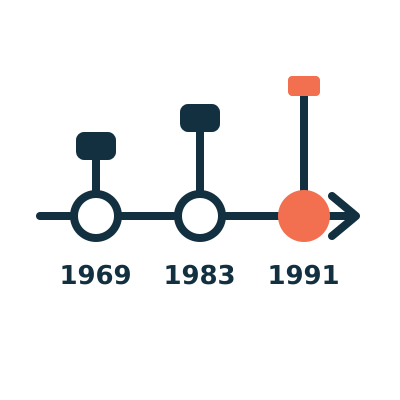
Professor Arpa's Time Machine: From ARPANET to the Internet
Was the Internet suddenly invented one fine day?
 About 8 min
-
Lesson 3
✓ Completed
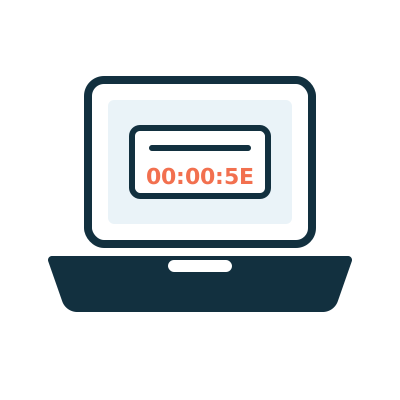
Every Device Has a Name Tag: MAC Address
There are billions of devices on networks. How do you tell who is who?
 About 10 min
-
Lesson 4
✓ Completed
Where Do You Live? IP Address: IPv4 and IPv6
We already have name tags, so why do we need addresses too?
 About 10 min
-
Lesson 5
✓ Completed
Pip Packs His Backpack: Packets and Network Layers
How does a photo "ride" along a cable to get out of the house?
About 10 min
-
Lesson 6
✓ Completed
Meet the Network Squad: Hub, Switch, Router and Access Point
What is that blinking box at home really doing?
 About 10 min
-
Lesson 7
✓ Completed
The Internet's Phone Book: DNS (Domain Name System)
Computers only understand numbers, so why can you type a web address and get online?
 About 10 min
-
Lesson 8
✓ Completed
Who Gives Me an Address? DHCP and NAT
The moment you join Wi-Fi, who gives you an address?
About 10 min
-
Lesson 9
✓ Completed
Handshake First or Send It Fast? TCP, UDP and Ports
Is data sent the same way when you watch a video and when you send a message?
About 10 min
-
Lesson 10
✓ Completed
After You Type a URL: What Happens When You Open a Website?
From pressing Enter to the page appearing, what happens in between?
+3
About 10 min
How does each lesson work?
Every lesson follows the same pattern, so you will feel at home in no time.
- 1
Comic Opening
A 3 to 4 panel comic that sets up the problem.
- 2
Key Idea
Analogy first, then the definition, in under 200 words.
- 3
A Closer Look
The real technical details, with labelled diagrams.
- 4
Try It Yourself
Small tasks and mini games on your phone or computer.
- 5
Where the Analogy Breaks
An honest look at where the analogy is not quite right.
- 6
Quiz
Three multiple-choice questions with instant explanations.
- 7
Key Notes
A summary of 3 to 5 key points.
My Badges
Finish a lesson to light up a badge. Your progress is saved only in this browser on this device.
- Lesson 1Not started
- Lesson 2Not started
- Lesson 3Not started
- Lesson 4Not started
- Lesson 5Not started
- Lesson 6Not started
- Lesson 7Not started
- Lesson 8Not started
- Lesson 9Not started
- Lesson 10Not started